POTS Module Settings

Contents
Navigate to Settings  > Transport Interfaces > POTS Module
  to configure how the codec operates at a particular site when using POTS. Other POTS answering-related settings are available in the Answering menu via Settings > Answering > POTS Answering
  if you are connecting to non-Tieline codecs.
Note: The codec displays POTS line status in the Status Bar at the top of the TOUCH SCREEN.
|
Symbol |
Description of Status |
1 |
No POTS Symbol |
No POTS module is installed in the codec. |
2 |
|
A POTS module is installed in the codec but no POTS line is attached to the codec |
3 |
|
A POTS module is installed in the codec and line voltage has been detected |


Configure ViA POTS Modules
1.Press the HOME  button to return to the Home screen, then tap Settings .
2.Navigate to Transport Interfaces and then tap POTS Module .
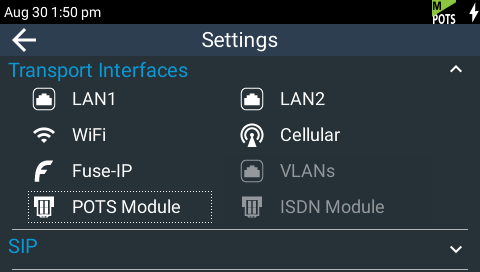
3.Complete configuration changes as per the following options and then tap Save in the top right-hand corner of the TOUCH SCREEN to confirm all settings.
Module (Site) Settings
Country
This displays the current country setting in the codec. To adjust this setting select Settings > System > Country  .
.
Answer Mode (Affects Answering Only)
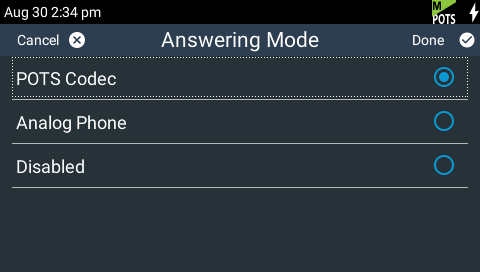
Answer Mode determines how the selected module in the codec will be able to answer incoming POTS line calls. Options include:
•POTS Codec: allows the module to receive encoded audio data over a POTS line.
•Analog Phone: configures the module to receive a standard analog phone call.
•Disabled: disables the module from receiving a POTS Codec or Analog Phone call.
In Analog Phone mode the Phone input is visible on the Input Audio menu, which is accessed via Settings > Audio  > Inputs
  .
.
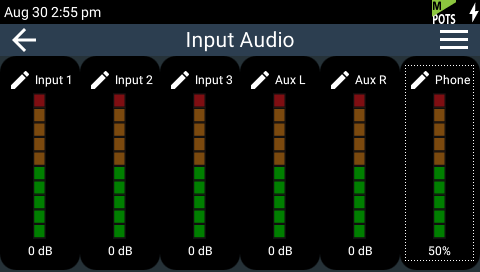
Tap the Phone input to adjust the level of the phone input and to turn it On or Off.
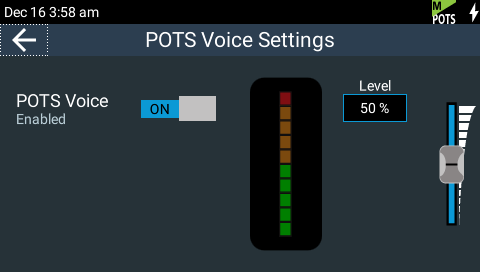
Other call answering settings are accessible via Settings > Answering > POTS Answering . Adjustments to these settings are not normally necessary when connecting between Tieline codecs. Default session and algorithm settings may need to be adjusted when connecting to non-Tieline codecs over POTS.
To configure answering settings in the Java or HTML5 Toolbox Web-GUI see:
•Configuring POTS Modules (Java Toolbox Web-GUI), or
•Configuring POTS Modules (HTML5 Toolbox Web-GUI).
Maximum Bit rate (Affects Dialing and Answering)
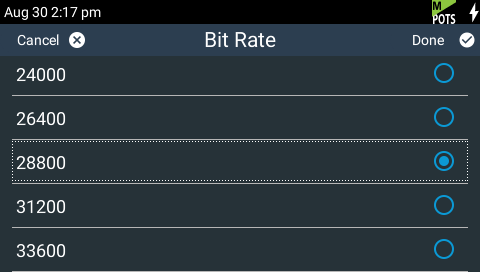
Configure connection bit rates from 9.6kbps to 33.6kbps. The default Max Bitrate setting is 28800 (28.8kbps) and this only affects POTS Codec calls. Even if the line supports a higher bit rate, the Max Bitrate setting is the highest bit rate that will be attempted. Reducing this value can improve connection reliability on poor quality lines.
ViA POTS G5 modules initially attempt to establish a link at the lowest Max Bit rate setting configured in the two modules being connected. If the POTS line doesn't support this bit rate, the modems will attempt to connect at the highest possible bit rate to suit the prevailing line quality at each end of the link.
In the initial connection phase, the modems perform a process called ‘training’, to analyze the line and compensate for frequency and phase response. This also cancels out any echo that may be present. The codec will then 'renegotiate' the link downwards to the highest possible bit rate where line quality is greater than 70%. Negotiation is the process of bit rate adjustment.
Dialing Method (Affects Dialing only)
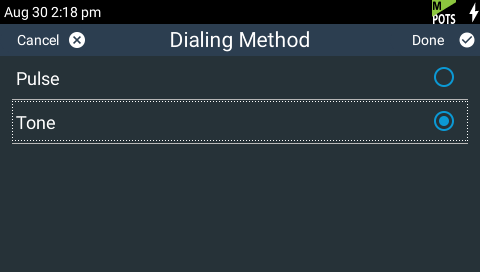
Use this menu to select Tone (DTMF) or Pulse dialing over POTS Codec connections. Tone dialing (default) is used always when the Answer Mode is Analog Phone.
Dial Tone Detect (Affects Dialing only)
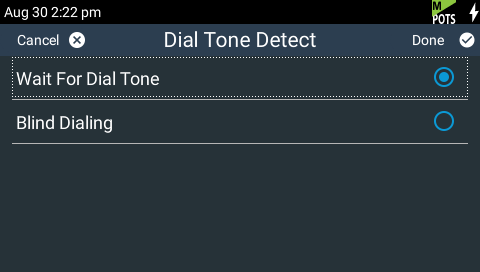
There are two settings in this menu:
•Wait For Dial Tone: The module will only dial when a dial tone is present on the line (default).
•Blind Dialing: Allows the module to dial when no dial tone is present.
Monitor Modem Tone (Affects Dialing and Answering)
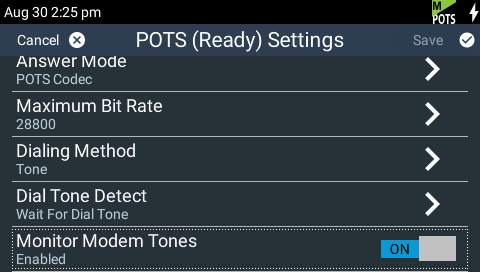
Tap the On/Off button to Enable (default) or Disable this feature. If enabled the module will allow audio monitoring of modem tones via the phone input during POTS Codec mode connections.
|
Important Notes: •POTS dial and modem tones are always audible in the left and right sides of the headphone output when connecting. •Modem tone monitoring is only enabled during the initial connection training and negotiation period in POTS Codec mode. |
