Dial and Disconnect a Program

Contents
Connecting a Program
1.Click to select the program you want to load from the Programs list in the Master panel.
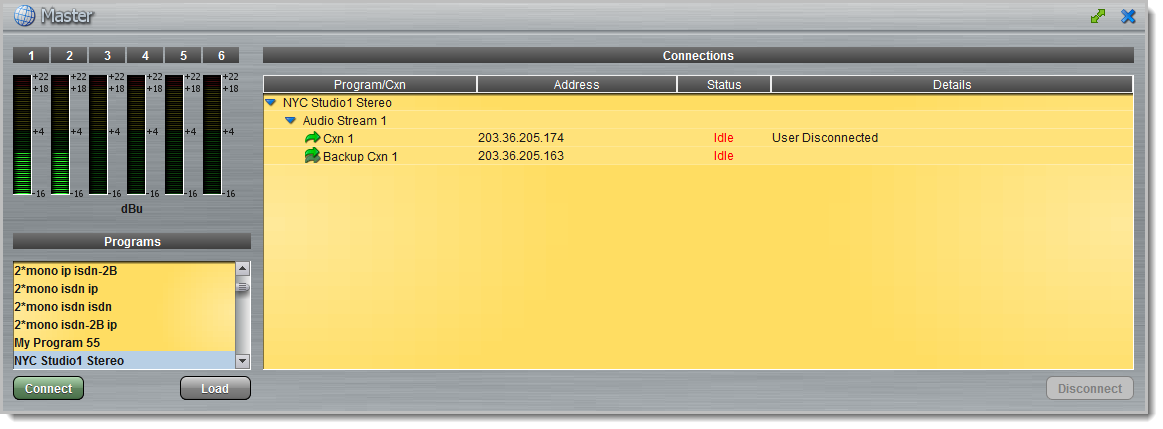
2.Click Connect to load the program and connect all audio streams.
Disconnecting a Program
1.Click to highlight the audio stream in the Connections pane of the Master panel.
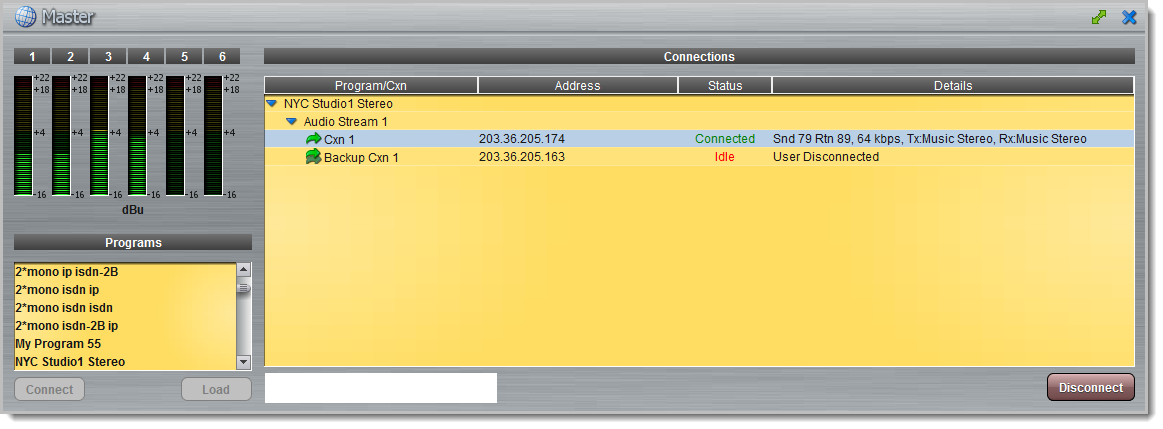
2.Click Disconnect to end the connection.
Manually Fail Over to a Backup Connection
A backup connection is configured to fail over according to data loss parameters. It can also fail back to the original connection according to 'resume' parameters. It is also possible to manually fail over to a backup connection.
1.Click to highlight the backup audio stream Connections pane of the Master panel.
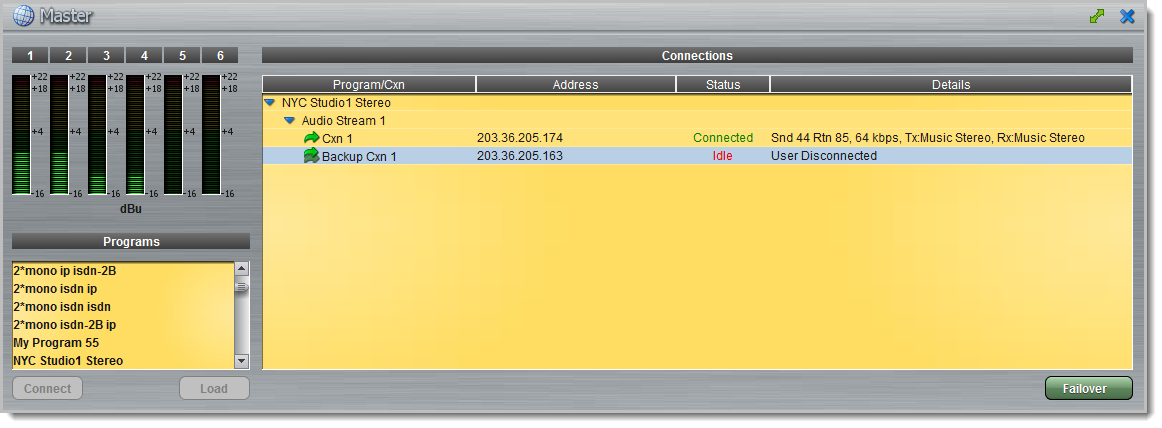
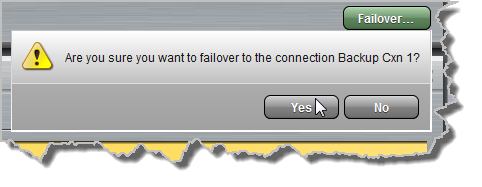
2.Click the Failover button and then click Yes in the confirmation dialog to disconnect the primary connection and connect the backup connection.
3.To fail back to the original connection, simply click to select the primary audio stream in the Master panel and then click the Connect button.