It is possible to assign a hostname to the codec to provide a flexible way of identifying the codec on a network.
1.Press the SETTINGS  button.
2.Use the navigation buttons to select IP Options and press the  button.
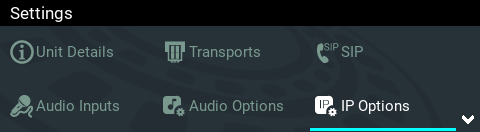
3.Navigate to Hostname and press the button to enable this feature.
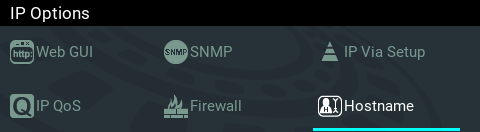
4.Select Hostname Enable and press the button to enable this feature. Next, navigate to Hostname String and press the button to display the Set Hostname screen keyboard and then enter the hostname. Next, navigate to Enter and press the  button to save the settings. Note: Press the Return
  button to exit the screen without saving changes.

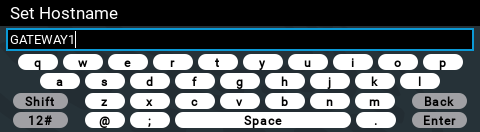
5.The new hostname will be displayed.

|
Important Note: •Modifying hostname settings requires a codec restart before they take effect •In the Hostname only enter the characters a-z, A-Z, 0-9 and - and the first or last character cannot be a hyphen/dash. |