Stream Discovery and Advertisement
Only stream content parameters are specified in the AES67 standard and nothing is mandated regarding discovery and control. WheatNet-IP, Livewire and Dante use their own proprietary protocols for discovery and advertisement. RAVENNA is an open technology which also provides discovery and advertisement. Unless devices from vendors use or support the same stream discovery mechanism, e.g. Tieline WheatNet-IP codecs and Wheatstone WheatNet-IP equipment, it is necessary to configure streams manually using AES67. Therefore, to stream between the codec and other devices using AES67 it is necessary to configure the codec to send and receive streams using preset Source and Destination parameters.
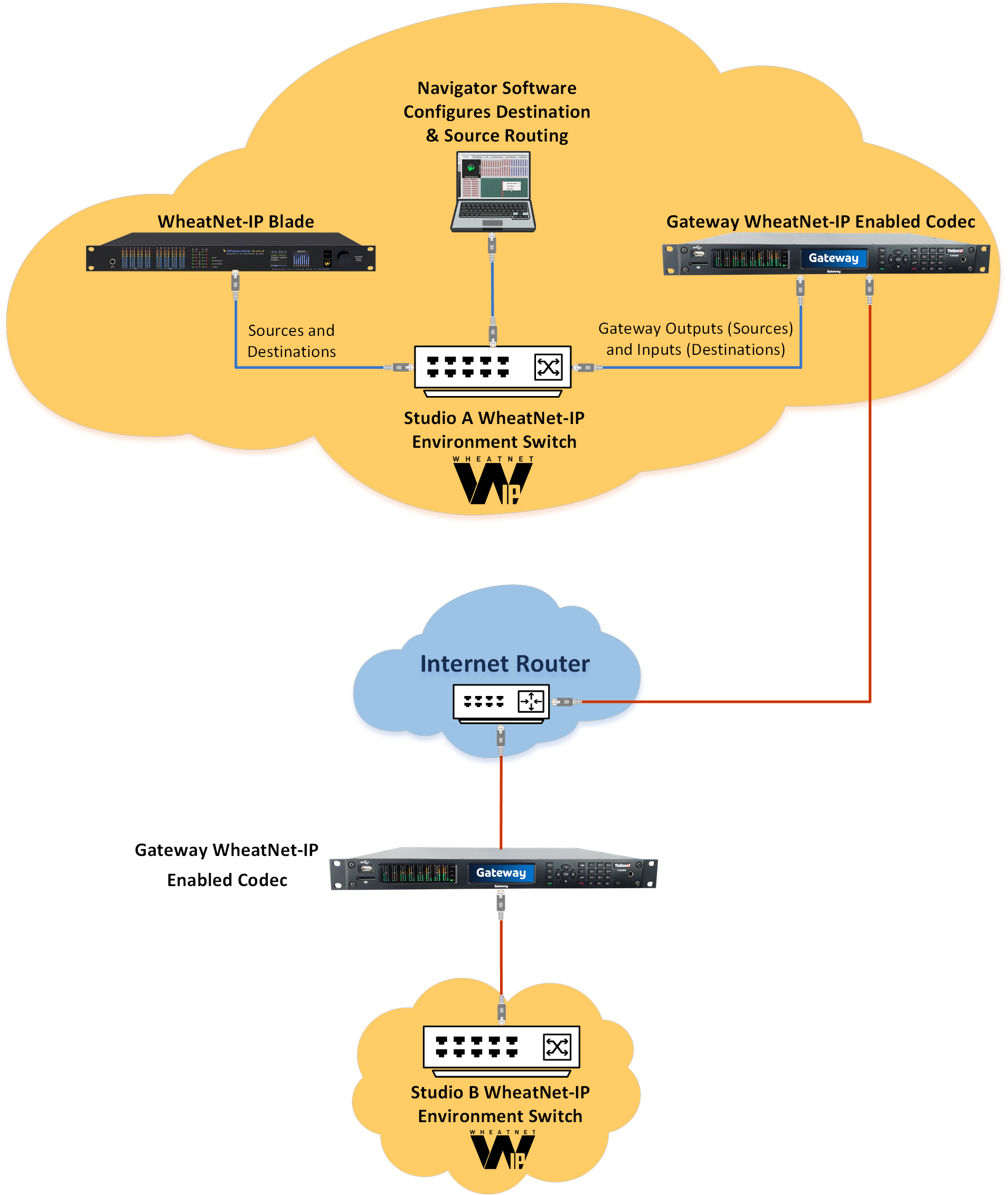
WheatNet-IP Discovery and Control
Codecs with an optional WheatNet-IP card installed are capable of integrating with Wheatstone's WheatNet-IP Environment. This mean they can take advantage of proprietary WheatNet-IP discovery and control mechanisms. For example, Tieline WheatNet-IP enabled codecs support WheatNet-IP logic I/Os. The WheatNet-IP discovery protocol operates over a system-wide dedicated IP multicast "announce channel". Each device on a WheatNet-IP AoIP network, having subscribed to the multicast group, can hear the announcements of all other devices.
Livewire+
The Axia Livewire+ discovery protocol is natively supported and codec Sources and Destinations can be configured for use over Axia Livewire+ AoIP networks. Livewire+ operates over a system-wide dedicated multicast channel. Every device within the delivery scope for these multicasts, and having subscribed to the multicast group, can hear the announcements of all other devices. All devices periodically generate short presence announcements, and at longer interval, description advertisements. The description advertisements include attributes of the device, as well as a list and attributes of the streams they are able to transmit. Announcement data allows each participant to build a list of the other participants and streams available on the network, to assist with connection management. Livewire GPIOs are also supported.
SAP (Session Announcement Protocol)
SAP can be used to distribute SDP descriptions to multicast receivers, enabling simplified connection management for multicast streaming. Tieline uses SAP version 2 as defined in RFC 2974 for multicast AoIP streaming. SAP is used by Dante AoIP systems for audio stream discovery. When Tieline codec AES67 Sources are configured with SAP enabled they are discovered automatically in Dante Controller. This facilitates simple routing of Source audio streams within Dante systems. SAP Discovery can also be enabled in a Tieline codec to find and configure Tieline Destinations.
NMOS
NMOS stands for Networked Media Open Specifications and delivers Discovery, Registration and Control for the SMPTE ST 2110 suite of standards. Discovery and Registration ensure that parts of a networked media system can find each other. NMOS also provides connection management and audio channel mapping to device I/O channels. This is required because essential components for controlling and managing network devices are not included in the SMPTE standards. NMOS delivers specifications in the form of APIs. In an NMOS system each node exposes one or more NMOS APIs in order to find, register and control resources on each node.
RAVENNA
RAVENNA is an open technology that is AES67 and SMPTE ST 2110 compliant and it is used in many broadcast studios around the world. RAVENNA uses Bonjour for discovery and devices from different vendors that are compliant with RAVENNA can easily interoperate over AoIP networks.
Enabling Discovery and Advertisement Services
The codec supports Livewire, SAP, NMOS and RAVENNA for discovery and advertisement of AoIP streams.
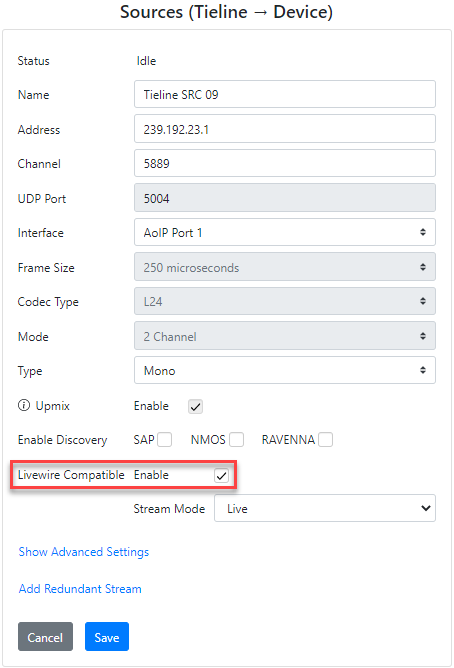
Configure Livewire Compatible Settings in Tieline Sources
Select the Enable check-box to enable Livewire Compatible streaming, which fixes some parameters to values compatible with Livewire Sources. The Stream Mode can be adjusted independently.
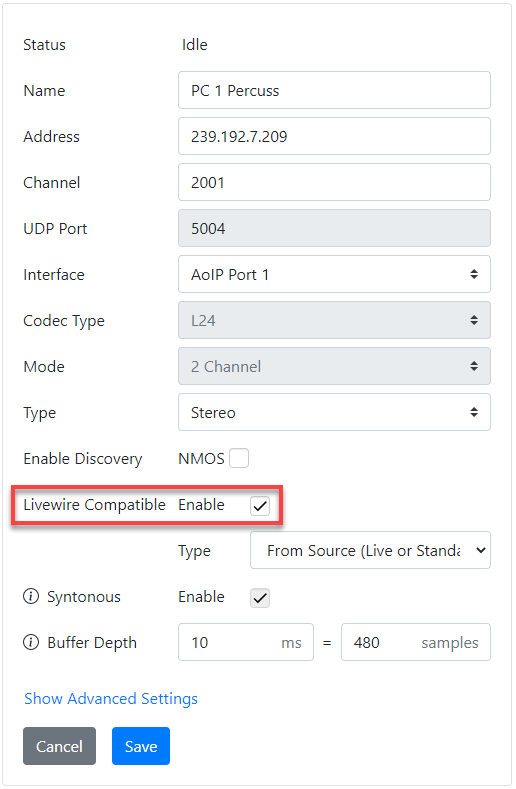
Configure Livewire Compatible Settings in Tieline Destinations
Select the Enable check-box to enable Livewire Compatible streaming, which fixes some parameters to values compatible with Livewire Destinations. Stream Type can be adjusted independently.
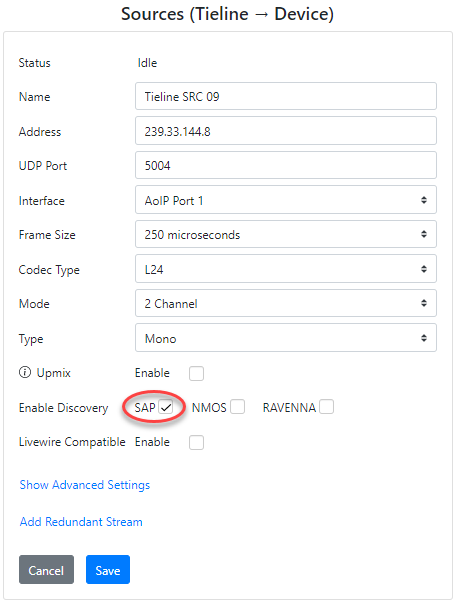
Enabling SAP Advertisement in Tieline Sources
Select the SAP check-box when creating a Tieline Source to enable SAP and allow other devices to easily discover a Source stream. SAP broadcasts from Sources are configured individually in each stream.
Enabling SAP Discovery for Tieline Destinations
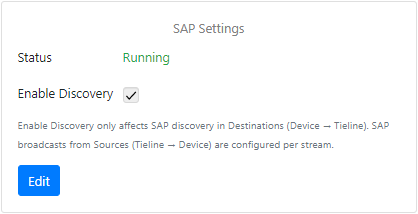
Select Enable Discovery in the Services panel in the HTML5 Toolbox Web-GUI or AoIP Web-GUI to receive Destination audio streams from devices supporting SAP. Note: This setting only affects SAP discovery in Tieline codec Destinations.
Enabling NMOS and RAVENNA
To allow use of NMOS and RAVENNA these services need to be enabled in the Services panel in the HTML5 Toolbox Web-GUI or AoIP Web-GUI.
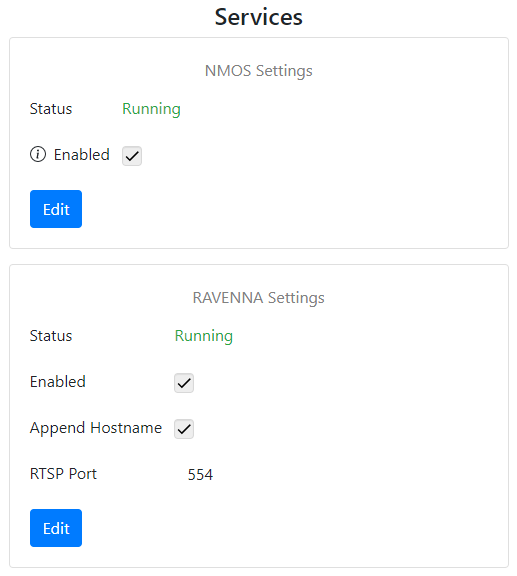
Services panel in the AES67 Web-GUI
After enabling NMOS in the Services panel, it is also necessary to select the check-boxes for NMOS in the Destination panel and Sources panel in the HTML5 Toolbox Web-GUI or AoIP Web-GUI for these streams to be discoverable.
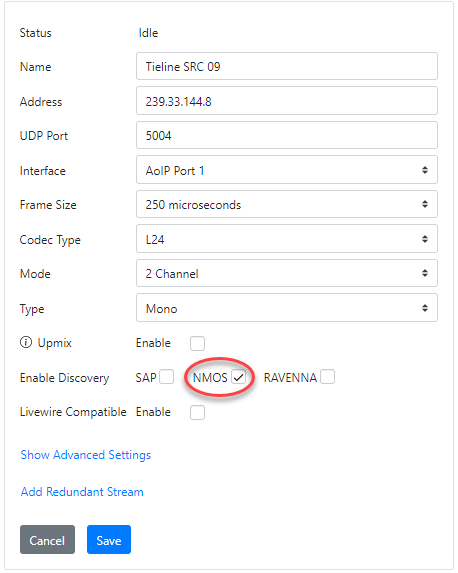
AoIP Web-GUI Sources panel displays NMOS enabled
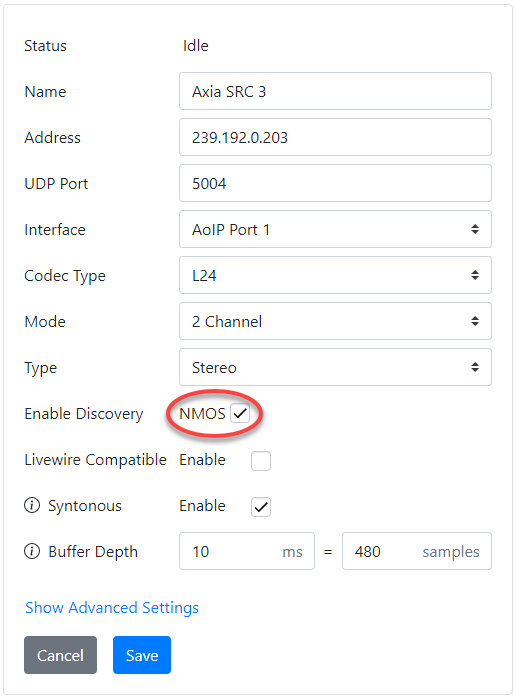
AoIP Web-GUI Destinations panel with NMOS enabled
After enabling RAVENNA in the Services panel, it is also necessary to select the check-box for RAVENNA in the Sources panel in the HTML5 Toolbox Web-GUI or AoIP Web-GUI for each stream to be advertised.
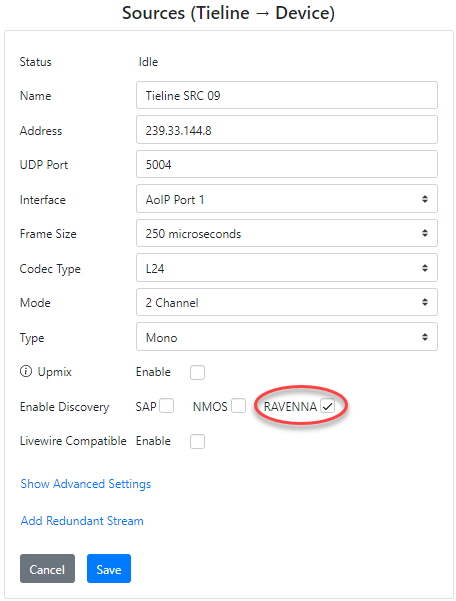
AoIP Web-GUI Sources panel displays RAVENNA enabled
For more information about using RAVENNA for discovery and control see RAVENNA Streaming.