Tieline recommends sending and receiving Livewire+ streams in natively supported Livewire Compatibility mode. It is also possible to send and receive AES67 streams between the codec and Axia Livewire systems. The following AES67 configuration information was tested using an Axia xNode with firmware version 2.4.7.
xNode Synchronization Settings and SAP
During testing the following settings were applied to the xNode and SAP Announcements (in the Synchronization menu) were enabled to allow discovery.
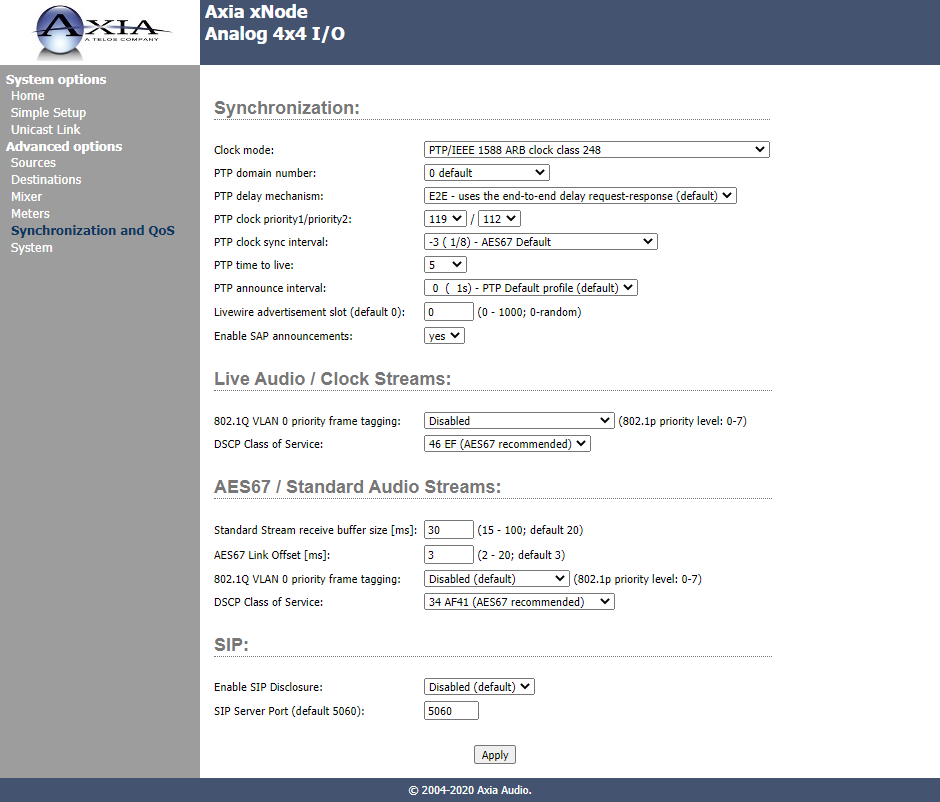
Configure a Tieline Source and an xNode Destination
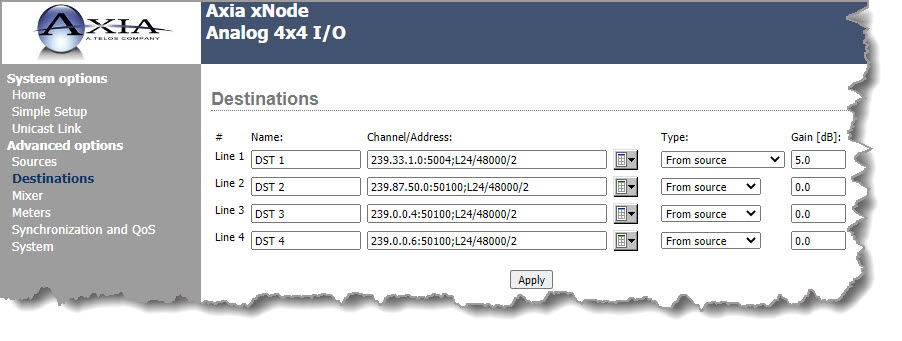
The Destinations page in the Axia xNode web-GUI defines the audio outputs of an xNode. There are 4 stereo output ports and these outputs may be the physical outputs of the unit, or network stream inputs, such as an AES67 Source stream from a Tieline codec. To receive the Source audio from the Tieline codec the xNode destination DST 1 in the following image is configured to connect to:
•Multicast address 239.33.1.0.
•UDP port 5004.
•L24 (24 bit) sampling at 48kHz in stereo.
After configuring the xNode click Apply.
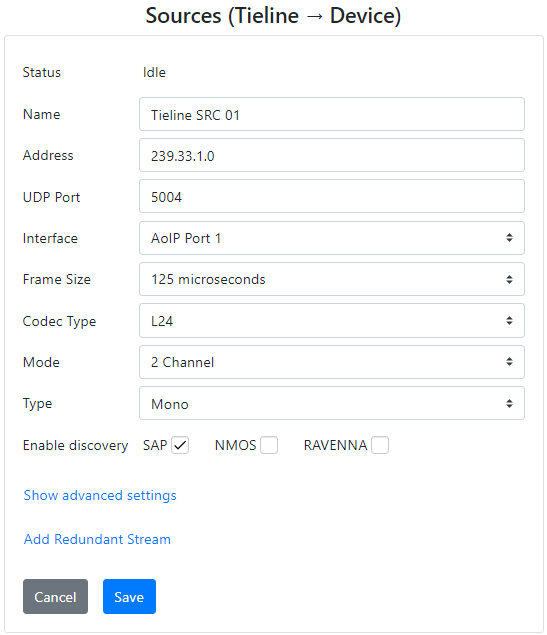
The Tieline codec Source configuration using the Tieline AoIP Web-GUI for Tieline SRC 01 is as follows:
Once configured, click the Start symbol  to commence streaming. In the following configuration example, the Tieline codec is streaming Source audio to the xNode over multicast address 239.33.1.0.
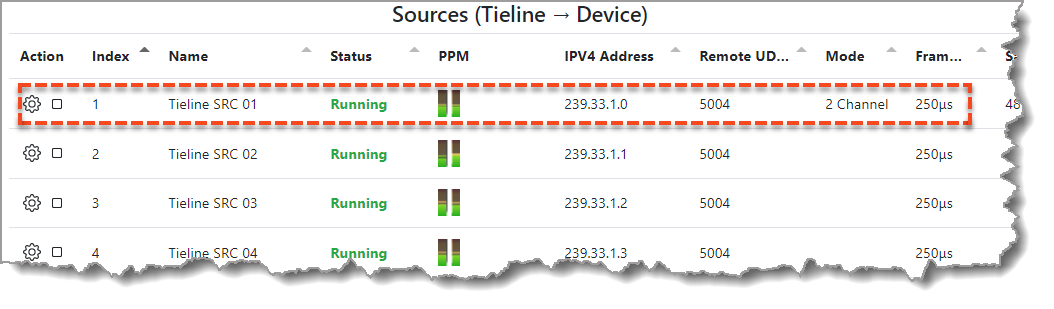
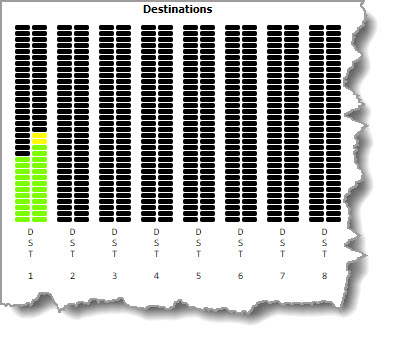
In the xNode audio is received and can be monitored in the xNode web-GUI Meters page via DST 1 in this example.
Configure a Tieline Destination and an xNode Source
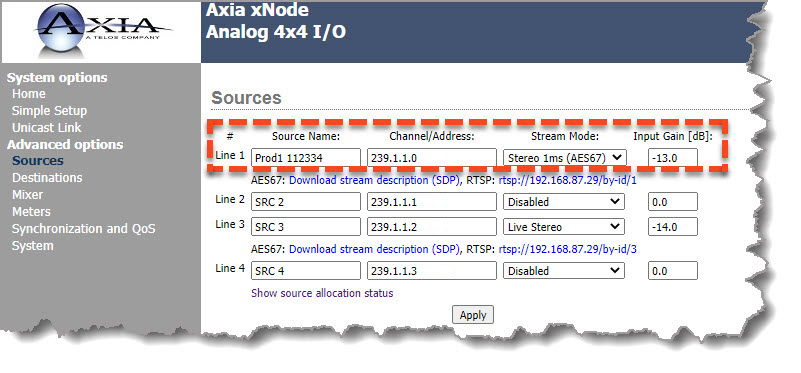
The xNode can transmit a multicast stream to a Tieline codec once a Source has been configured with a multicast IP address and the Stream Mode is set to a value other than disabled, e.g. Stereo 1ms (AES67), or Live Stereo which supports 250 microsecond packet timing. After configuring the xNode click Apply.
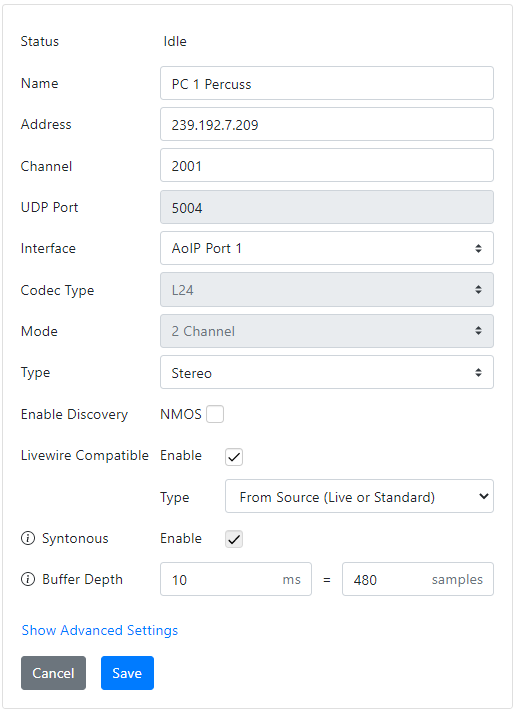
An example of the Tieline codec Destination configuration using the Tieline AoIP Web-GUI is as follows:
Download an SDP File from an xNode
To download the configuration info for an audio stream from an xNode:
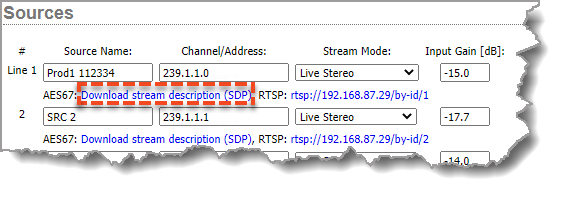
1.Click Download stream description (SDP) for a Source audio stream on the xNode and save it to a PC.
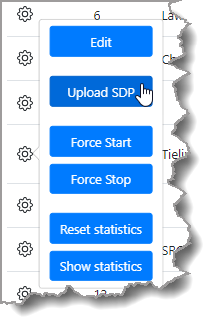
2.On the Tieline codec open the Destinations panel and ensure the stream being configured is not active. Click the Configuration symbol  for a Tieline Destination audio stream and select Upload SDP and then select the xNode SDP saved to the PC.
3.The SDP settings within the file are parsed and applied to the Tieline codec Destination audio stream as displayed.
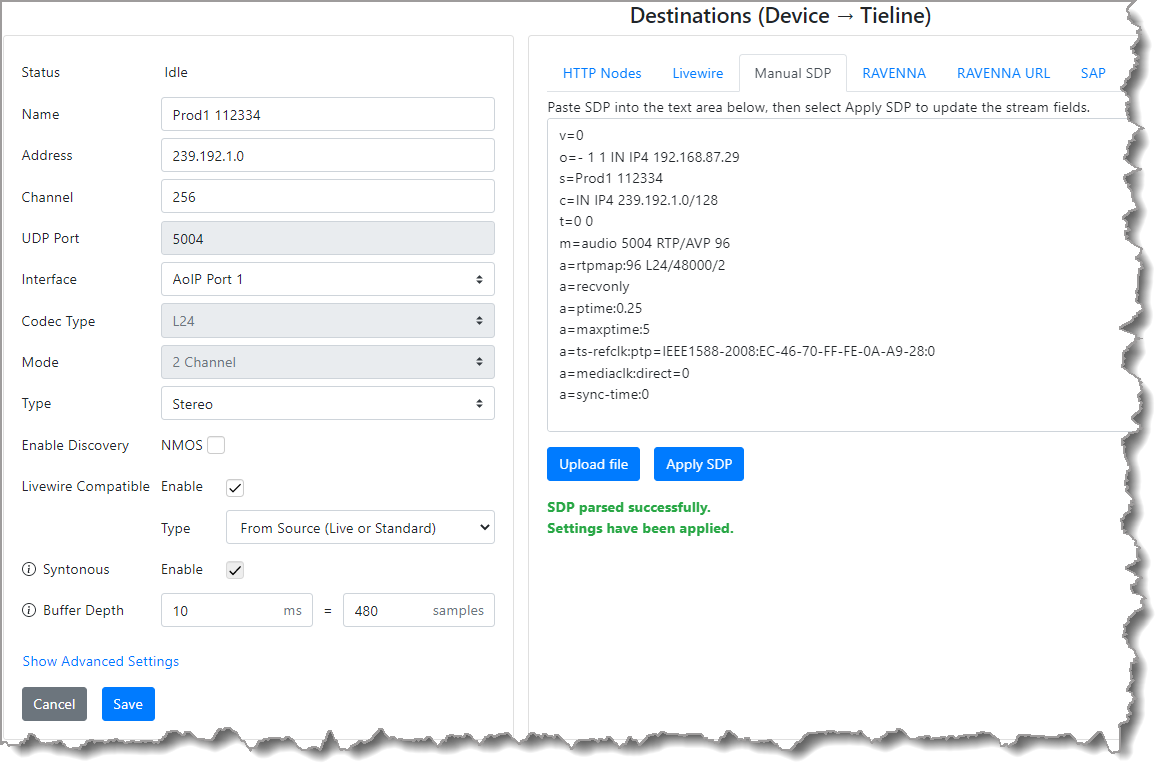
4.Click Save to store these settings.
5.Click the Start symbol to receive stream audio. In the following configuration example, the Tieline codec is receiving audio from the xNode Source via multicast address 239.1.1.0.

Troubleshooting
During testing, in 8 channel streaming mode the xNode required an RTP Payload Type of 99 and testing was successful with a 1ms frame size. The Payload Type setting is available in the Advanced Settings menu in the Sources panel. I think they only support 1ms packets in 8 channel mode.