64 Livewire GPIO ports are supported in the codec. Livewire uses ports to activate GPIOs and ports 1-8 are configured with 5 GPIs and GPOs. Port 9-16 are configured with 3 GPIs and GPOs. These inputs and outputs are also mapped to 64 Tieline GPIs and GPOs as displayed in the Livewire GPIO panel in the AoIP Web-GUI.
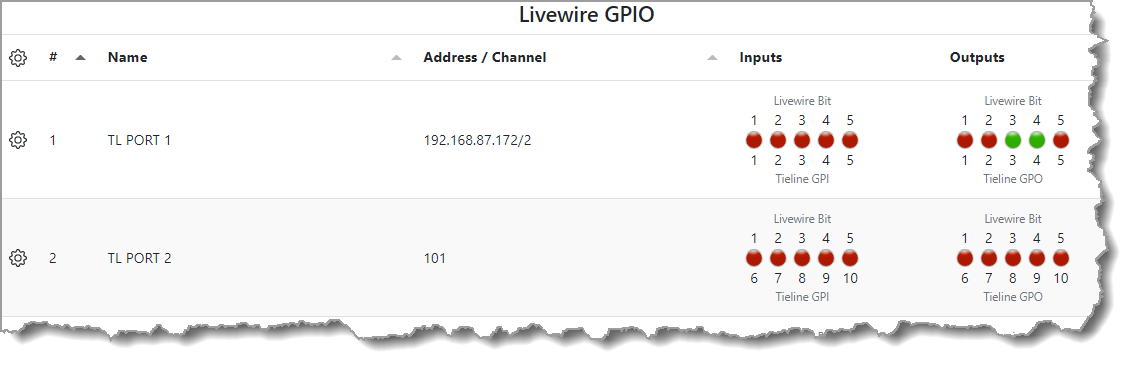
Livewire GPIO panel displaying the first 10 GPIOs
In general Livewire devices think of GPIs as signals going to the network and GPOs as signals coming from the network. A Livewire port can be configured in 3 ways:
1.Port routing with Tieline's browser-based AoIP Web-GUI: GPI activity on a port will trigger the GPO of the port being configured. To do this enter the IP address of the device, followed by a forward slash and the port number.
2.Channel assignment with Tieline's browser-based AoIP Web-GUI: The GPIO port will follow the logic defined by a control surface (or the codec) through the use of the unique channel number loaded to a fader or other console functionality.
3.Pathfinder PC Server software can monitor and control GPIO pins on any of these ports using its event system. It can also route closures using the IP address and port number.
In the IP Address/Port example, the GPIO device opens a TCP connection to the routed GPIO device and monitors the GPI pins tripping its own GPO pins. In the Livewire Channel number example, GPIO messages are sent as multicast messages in the same way as multicast audio traverses the network. A device monitors the GPIO multicast channel for closures tagged with the correct Livewire Channel number.
Configuring a Livewire GPIO with the Codec Web-GUI
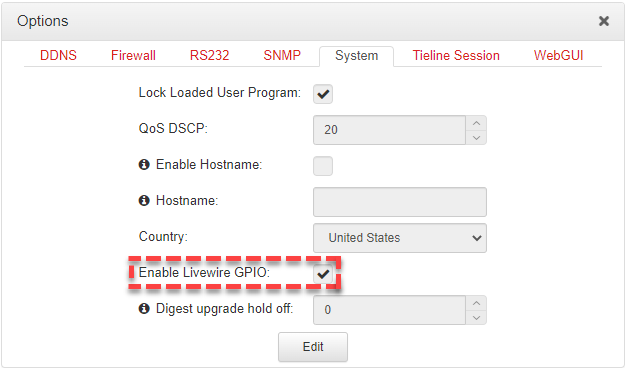
Livewire GPIOs can be configured using the Tieline HTML5 web-GUI. First, select the Enable Livewire GPIO checkbox in the Options panel of the HTML5 Toolbox Web-GUI to use Livewire GPIOs.
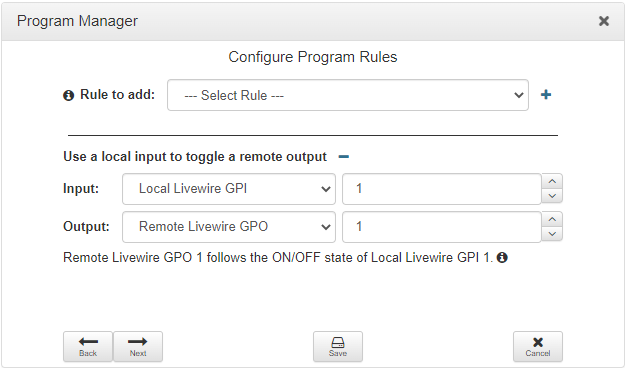
Program and stream level Livewire GPIO rules can be configured using the Program Manager panel when creating new programs.
The Rules panel can also be used to create Livewire GPIO rules for hardware or virtual IOs.
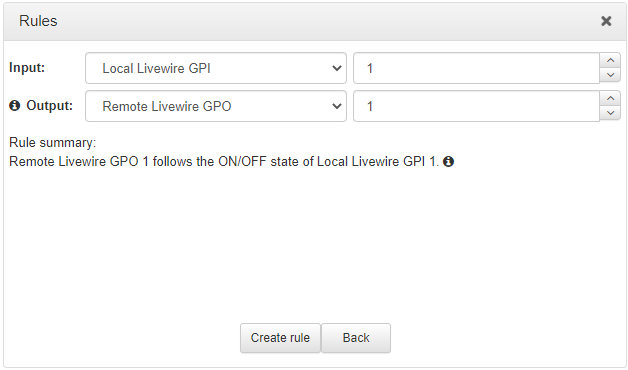
See the Creating Rules section in the codec user manual for more detailed information on configuring rules.